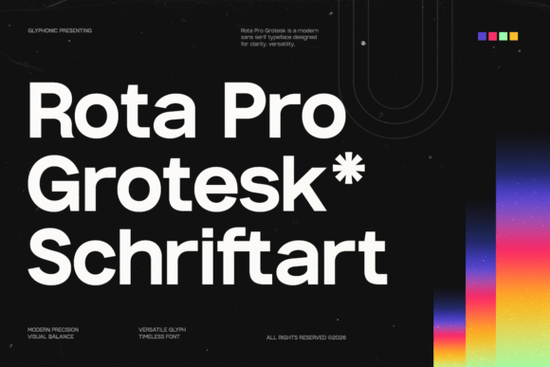
If you're searching for a clean, professional typeface that works across branding, web, and print, the Rota Pro Grotesk font is worth a close look. It's a contemporary grotesk sans serif built on clean geometry and balanced proportions, designed to give your text a sharp, confident feel without being stiff or cold. As a variable font, it gives you direct control over weight, which makes it easy to build a strong visual hierarchy in any project.
What makes Rota Pro Grotesk different from other sans serif fonts?
Plenty of sans serif fonts look modern at first glance, but not all of them hold up well across different sizes and contexts. Rota Pro Grotesk is built with refined modern detailing and consistent construction across all weights. That means it stays readable at small sizes for UI text, and it still looks sharp when scaled up for large headlines or signage.
The variable weight feature is a real practical advantage. Instead of being locked into a few fixed styles, you can slide between weights to find exactly the right thickness for your layout. This kind of flexibility is especially useful when you're building a full brand system where type needs to behave predictably across touchpoints from a website header to a business card to a social media graphic.
What can you use Rota Pro Grotesk for?
This typeface fits a wide range of design work. Here are some common uses where it performs well:
- Branding and logo design Its clean, neutral character lets it pair well with both serif and display fonts without competing for attention.
- Editorial layouts Balanced letterforms keep body text and subheadings looking consistent in magazines, lookbooks, and reports.
- Web and app interfaces The geometric construction renders cleanly on screens at all resolutions.
- Print-on-demand products Works nicely for minimalist quote designs, typography-based T-shirts, and packaging labels.
- Corporate communications Presentations, pitch decks, and branded documents look polished and professional.
Does it pair well with other fonts?
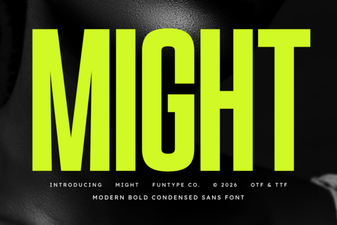
One of the strengths of a well-made grotesk is that it plays well with others. Rota Pro Grotesk has a neutral, functional voice that doesn't clash with more expressive typefaces. If you want to combine it with a bold display option, something like Might adds a strong, impactful presence for headlines while Rota handles the supporting text.
For projects that need a softer or more organic feel like wedding invitations or lifestyle branding pairing it with Sunflower creates a nice contrast between clean and hand-drawn styles.
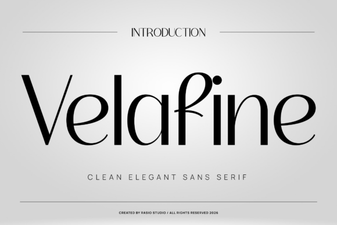
Working on a high-end or editorial project? A refined serif like Luxury alongside Rota Pro Grotesk gives layouts a polished, magazine-quality rhythm. And if you need another versatile sans serif with a slightly different tone, Velafine is a solid option to explore as well.
Who is this font best suited for?
Rota Pro Grotesk is a strong choice for anyone who needs a reliable, modern typeface that doesn't require a lot of fuss. That includes:
- Freelance designers building brand identity systems for clients
- Small business owners creating their own marketing materials
- Print-on-demand sellers looking for clean, versatile typography for products
- Creative hobbyists working on digital art, planners, or social media graphics
- UI/UX designers who need a screen-friendly typeface with flexible weight options
If your work involves any kind of type-setting from quick social posts to detailed brand guidelines having a dependable grotesk in your font library saves time and keeps your designs looking consistent.
What file formats and features does it include?
Rota Pro Grotesk comes as a variable font, which means a single file gives you access to a full range of weights. This is more efficient than loading separate files for every style, and it also makes it easier to fine-tune your typography in design software that supports variable fonts, like Adobe Illustrator, Figma, or the latest versions of Affinity Designer.
You can find the full details and license options on the Rota Pro Grotesk font page or search directly on Creative Fabrica for more information.
Quick checklist before you start using it
- ✅ Check your software supports variable fonts Most modern design tools do, but it's worth confirming before purchasing.
- ✅ Plan your weight range Decide which weights you actually need for your project so you can test them during setup.
- ✅ Test at multiple sizes View your text at both small and large scales to make sure the weight works across all your use cases.
- ✅ Pair it intentionally Use a contrasting serif or display font for visual variety, but let Rota handle the clean, functional work.
- ✅ Review the license terms Make sure the license covers your specific use, especially for commercial products like POD items or client work.
Tip: Start with the medium and bold weights for your initial designs. Most projects need a clear contrast between heading and body text, and these two weights give you that immediately without overcomplicating your layout.
Download Now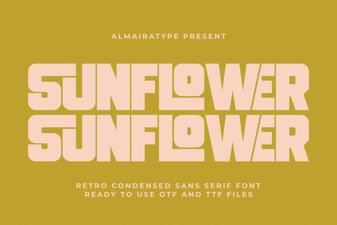 Creativity Blooms: Designing with Sunflower Font
 Velafine Font – Modern Sans Serif Typeface for Clean Design
 Bold Design Ideas with Might Font for Creative Projects
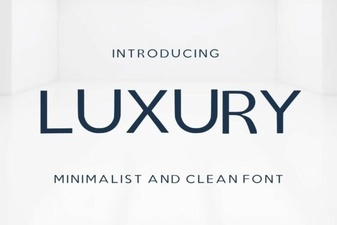 Elegant Luxury Fonts for Timeless Design
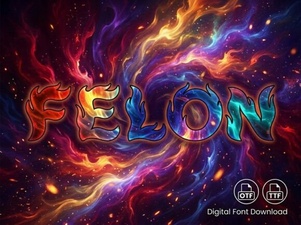 Felon Font: Bold Edgy Display Type for Creative Projects
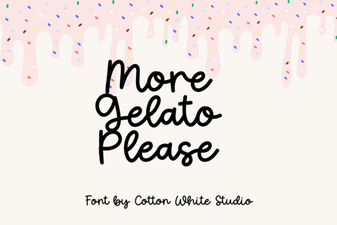 More Gelato Please Font: Playful Creative Typography